NutriSheet is an intake diary for dietary supplements on iPhone, iPad and Apple Watch: it adds up how much of a nutrient a day brings across every product taken, shows how close that is to the European upper limit and points out known interactions.
Short, about 70 words
NutriSheet is an intake diary for dietary supplements. You add a product once, by barcode or by scanning its label, and from then on every intake is one tap. What sets it apart from a reminder app is the arithmetic: NutriSheet adds a nutrient up across every product and puts the daily amount against the European reference values and upper limits, with a traffic light from eighty per cent. Plus known interactions, stock, cost, blood values and a PDF for the doctor. $2.99 once, no subscription, no ads, no tracking, no account.
Detailed, about 130 words
NutriSheet is an intake diary for dietary supplements, for iPhone, iPad and Apple Watch. You add a product once, by barcode through Open Food Facts or by photographing its label; from then on every intake is one tap. What sets it apart from a reminder app is the arithmetic: three supplements often mean magnesium three times over, and only the sum says anything. NutriSheet adds each nutrient up across every product and puts the daily amount against the European reference values and the tolerable upper limits, green up to eighty per cent, then yellow, red at the limit. More than 45 nutrients are covered, along with known interactions and recommended times of day. Stock, restock list, monthly cost, twelve blood values with a trend and a PDF for the doctor are part of it. Data stays on the device and syncs only through the user's own iCloud. $2.99 once, no subscription, no ads, no tracking, no account.
What sets the app apart
The app does the adding up
Three supplements often mean magnesium three times over. NutriSheet adds each nutrient up across everything taken and puts the total against the reference value and the upper limit: green up to eighty per cent, then yellow, red at the limit.
Notes on interactions
Calcium and iron, zinc and copper, and known interactions with medication: the note sits on the product, and the intake plan suggests times that pull the combination apart.
Scan instead of typing
A product comes in by barcode from the Open Food Facts database, or from a photo of the label when the database does not have it. Whatever recognition reads can be corrected before saving.
Blood values and a PDF for the doctor
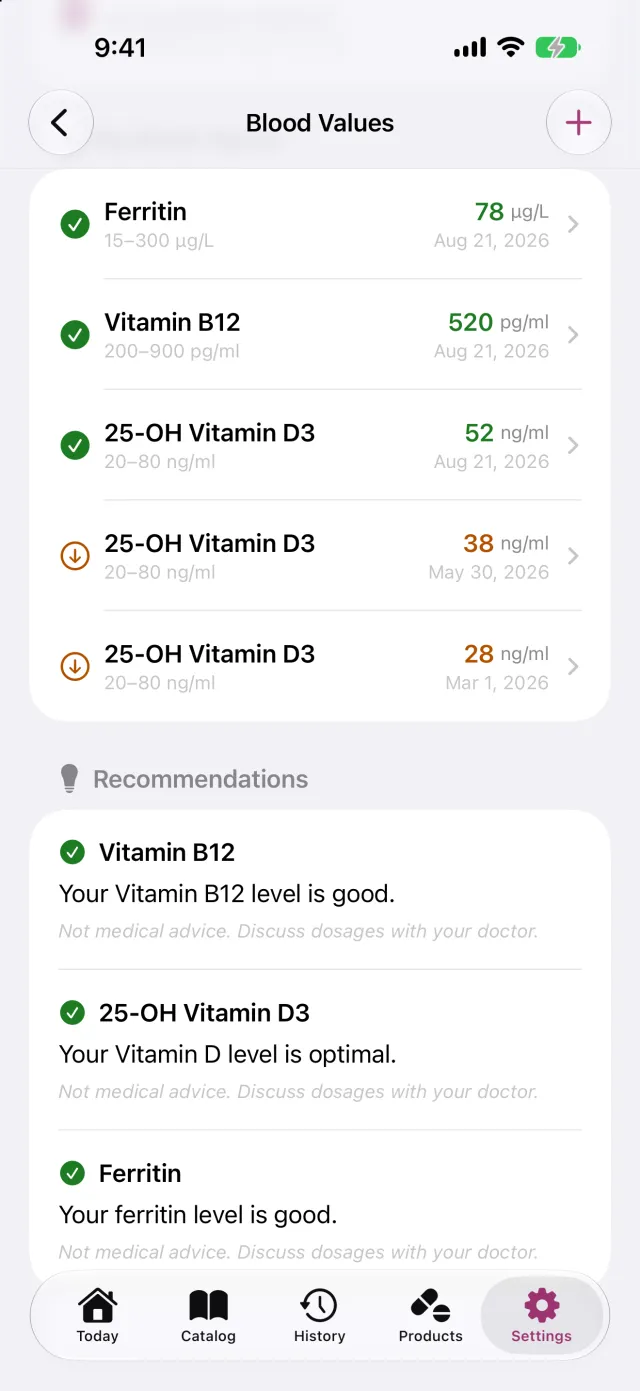
Twelve markers, entered by hand or photographed from a lab report, with a trend over time. The doctor report puts the current list and the latest values on one page.
On the wrist and in the widget
An intake can be ticked off on the Apple Watch, the widget shows where the day stands, and reminders arrive at the times the intake plan suggests.
Health data without an account
There is no login and no account with the developer. Data stays on the device and syncs through the user's own iCloud. No tracking, no ads, no subscription.
Not a medical device
NutriSheet logs and calculates, it does not diagnose. The app is no substitute for medical or pharmaceutical advice, and it says so everywhere it warns.
The limits come from the European reference values for nutrient intake and the tolerable upper intake levels; the interaction notes come from published literature. Both point at a possible connection, neither is a judgement on an individual case.
Screenshots
Raw captures without frames and without marketing captions, the way an editorial team needs them.
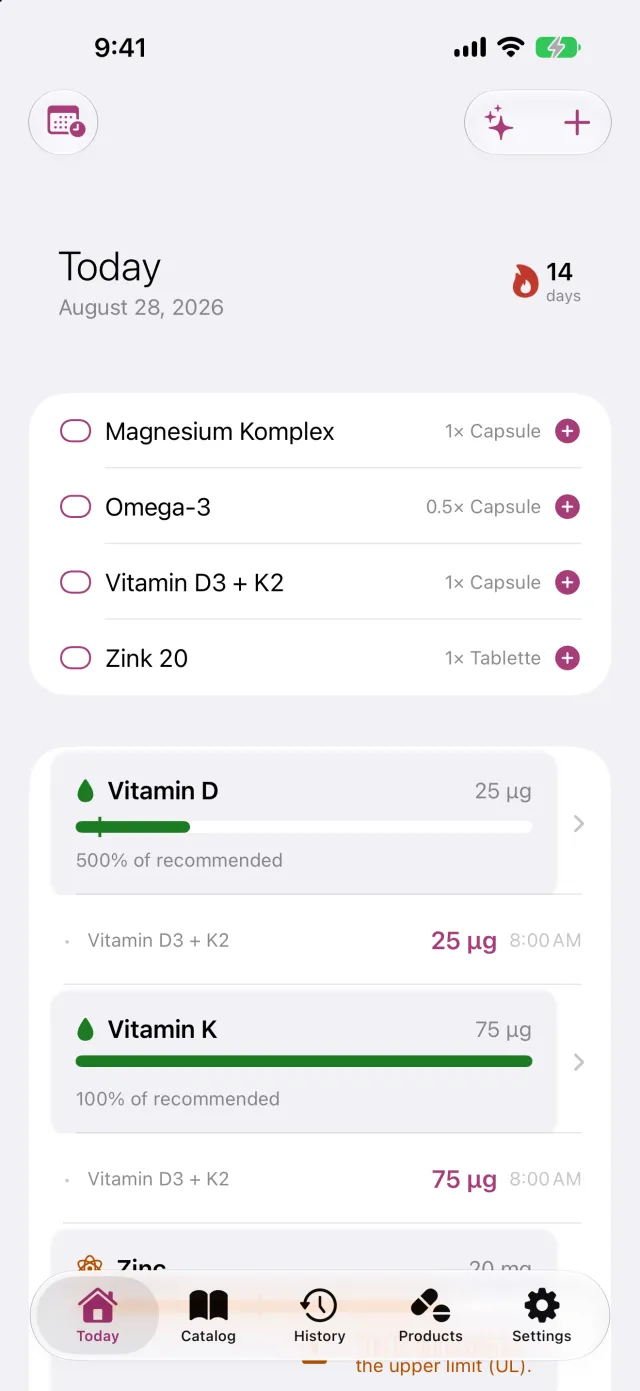
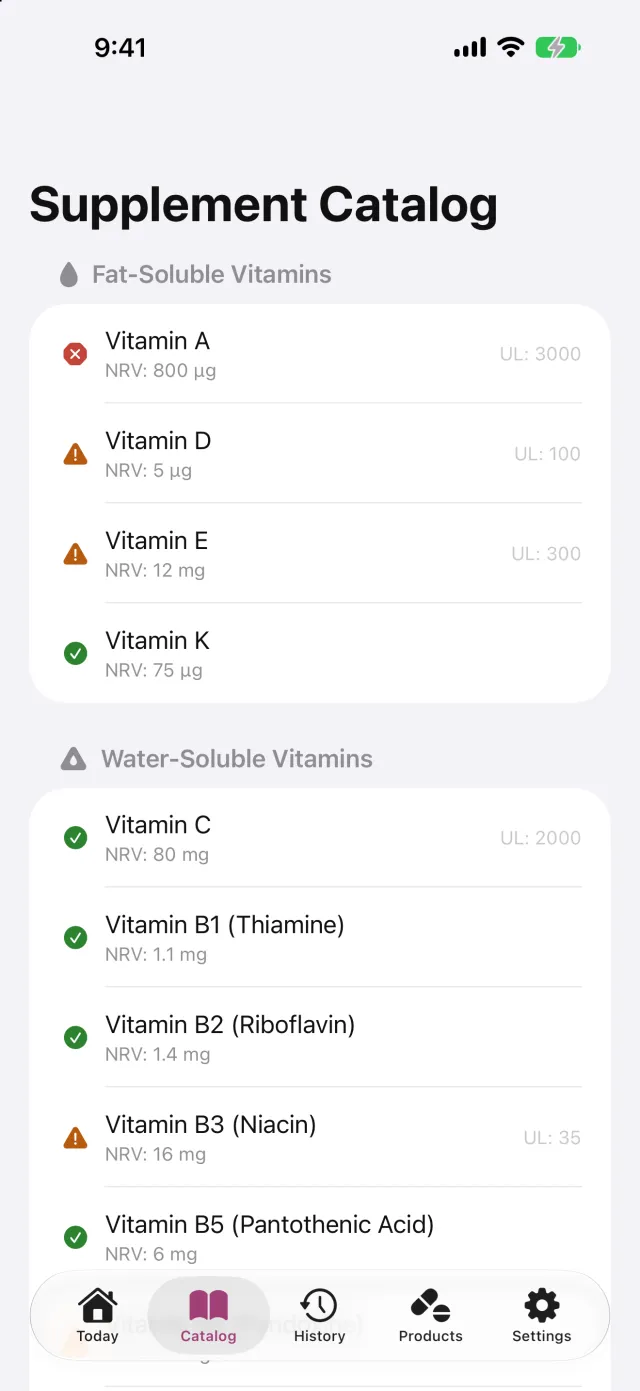
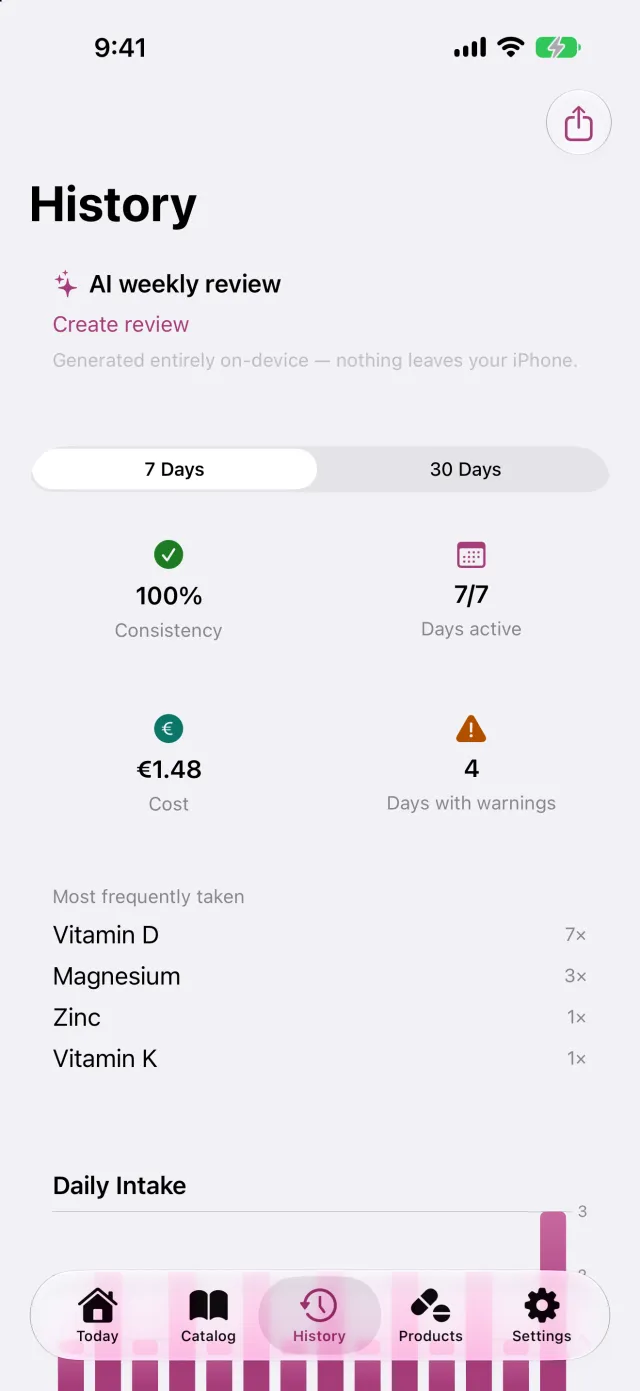
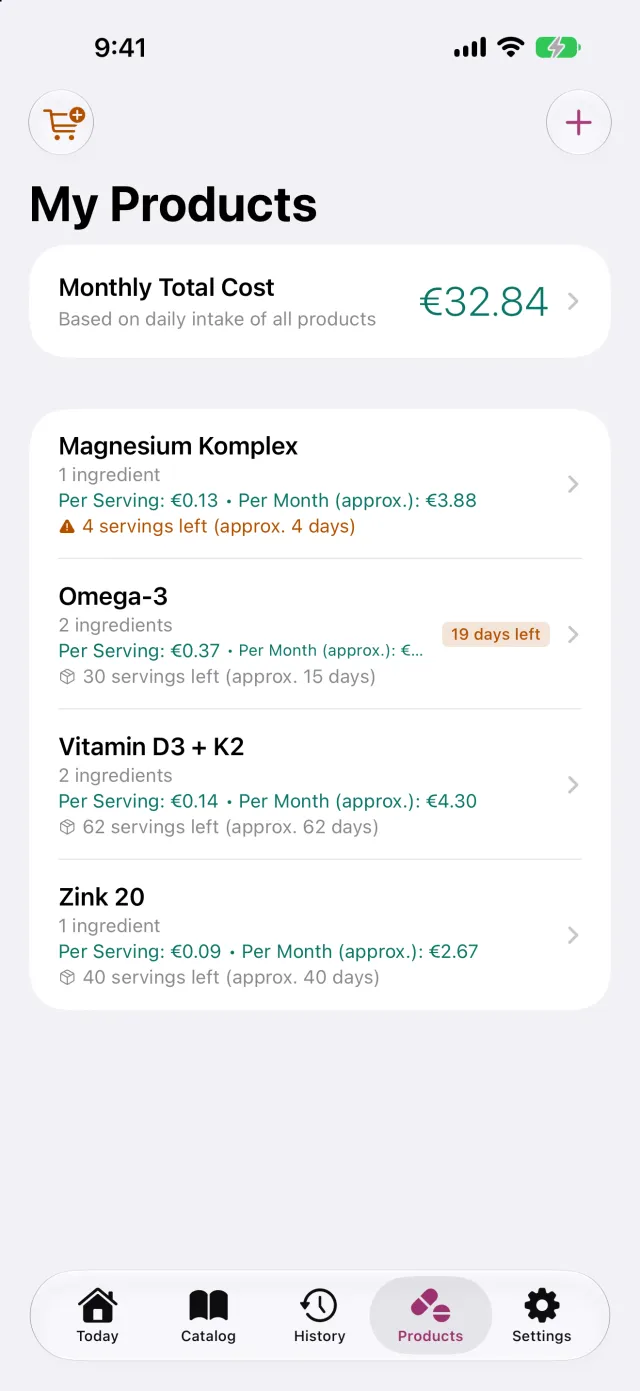
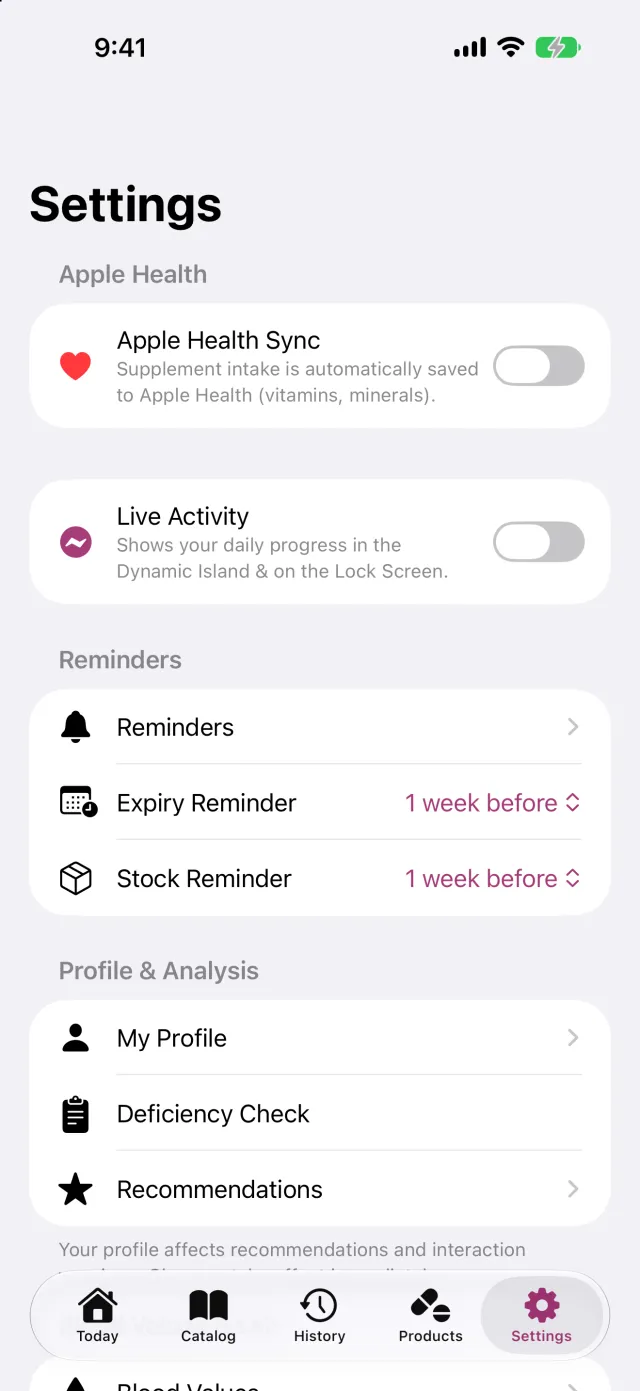
The day at a glance: tick an open intake off with one tap, the streak, and where each nutrient stands against its upper limit.The reference section: more than 45 nutrients with their reference value (NRV) and upper limit (UL), sorted by group.History and streak, day by day, down to the single intake.Your own products with their ingredients, stock, and the list of what needs buying again.Blood values with a trend over time; a lab report can be photographed instead of typed in.Apple Health, the Live Activity, reminders for stock and expiry, and the profile the personal limits follow from.
Each package holds that language's screenshots at full resolution plus the app icon. iPad and Apple Watch captures are available on request.
Image rights and usage
Screenshots, the app icon and the text on this page may be used freely for coverage of NutriSheet, including in shortened form. Please only change images by cropping them. A link to the piece is welcome but not a condition.
Contact
Sebastian Peters, developer of NutriSheet. I usually reply the same day, in English or German.
On request: TestFlight access to the submitted version, promo codes for launch day, iPad and Apple Watch captures and answers to anything not covered here.